PushAlert AI Assistant New Features Launched
Creating a good web push campaign has never been just about writing a notification. Someone has to decide what to say, how much to say, who should receive it, when it should be sent, and what should happen if the first message does not convert. For teams running frequent campaigns, much of the work happens before a notification ever reaches a subscriber.
PushAlert is now making more of that work easier with a new set of AI features built into the platform. You can use prompts to create notifications, change the tone or length of an existing message, build welcome and drip campaigns from a prompt or a website URL, and set up more advanced campaigns such as event-triggered notifications, conversion funnels, and A/B tests with AI.
You still decide what the campaign should achieve. AI takes care of more of the work needed to build it.
Create web push notifications with a prompt
Writing a notification can take longer than it seems. A short message still has to communicate the main point quickly, fit the context of the campaign, and give the subscriber a reason to click.
With PushAlert’s AI notification creation, start with a prompt instead of writing the notification from scratch. Describe what you want to promote, who the message is for, or what you want subscribers to do, and AI can create the notification for you.
For example, instead of starting with an empty notification field, you could ask AI to promote a new collection, announce an upcoming sale, share a newly published article, or remind customers about an offer.
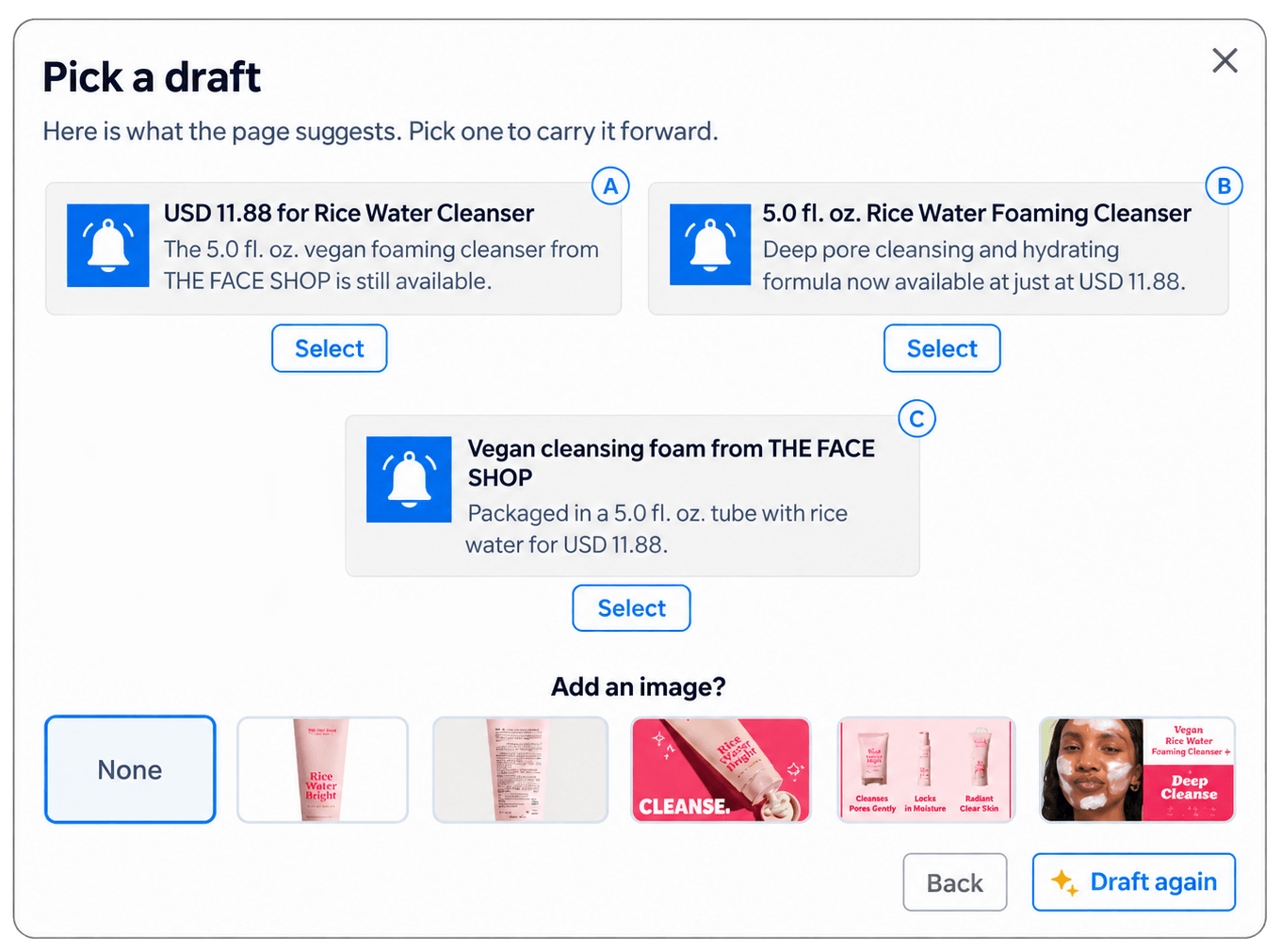
Draft Web Push Notifications with AI prompts
Change the tone or make an existing notification better
AI can also help after a notification has already been written. You may have a message that contains the right information but does not quite have the tone you want. Instead of rewriting it manually, ask AI to make it friendlier, more urgent, or more professional. The same applies when a notification is too long and needs to be made more concise, or when it needs more detail.
That means you can work with the message you already have rather than starting over every time you want to make a small change. It’s especially helpful when creating different versions of a campaign. The underlying message can stay the same while the wording is adjusted for different audiences or campaign goals.
Build welcome campaigns and custom drip notifications from a prompt or website URL
A welcome campaign is often one of the first automated journeys a new subscriber receives, but setting one up manually still takes time. You need to decide what the first notification should say, whether another message should follow it, and what information new subscribers should receive. With the new AI features, welcome campaigns can be created from a prompt or website URL. Instead of building the campaign step by step, describe what you want the welcome journey to accomplish or provide your website URL and let AI use that as the starting point for creating the campaign.
For a content website, that could mean introducing new subscribers to the site’s content. For an ecommerce business, the welcome campaign could introduce the store, products, or an offer. The campaign starts from the information and direction you provide rather than from a blank workflow.
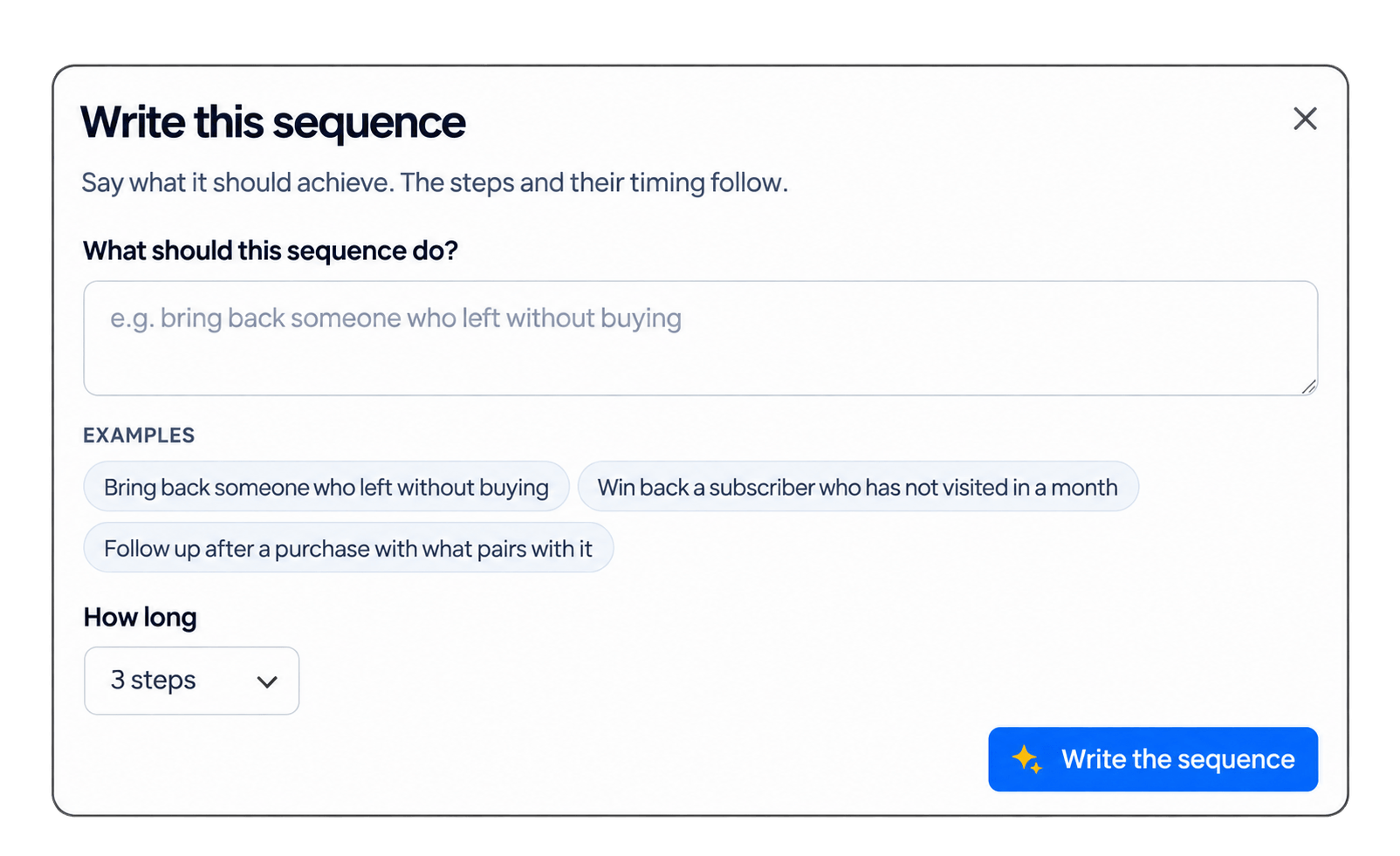
Create Drip campaigns and Customer Journeys using AI
Custom Drip Campaigns
Custom drip campaigns work in much the same way. If you want to introduce a series of articles, explain a product over several messages, follow up with new subscribers, or gradually move someone toward a conversion, you can describe the campaign you have in mind and let AI build the starting point.
Create event-triggered notifications and conversion funnels with AI
Not every notification should be sent at a scheduled time. Some of the most useful messages are triggered by something a subscriber does. A subscriber might view a product, complete an action, abandon a cart, or trigger another event on your website. In these cases, the timing of the notification depends on what happens rather than when the marketer happens to schedule it. Now, you can use AI to create triggered notification campaigns based on events.
Describe the event and the notification you want to send, and PushAlert can turn that requirement into a campaign with AI. If you’re already using event-based messaging, this means less time spent putting the campaign together. If you haven’t used triggered notifications extensively, the simpler setup makes them easier to try.
Conversion Funnel Automation
For many campaigns, there is more than one step between a notification and a conversion. A subscriber might receive a notification, visit the website, view a product, and eventually complete a purchase or registration. Looking at that journey as a funnel can provide a better understanding of how the campaign is performing. PushAlert’s AI features can now help create conversion funnels as well. Outline the conversion journey you want to track by providing your funnel URLs, and AI can help set up the funnel around that goal.
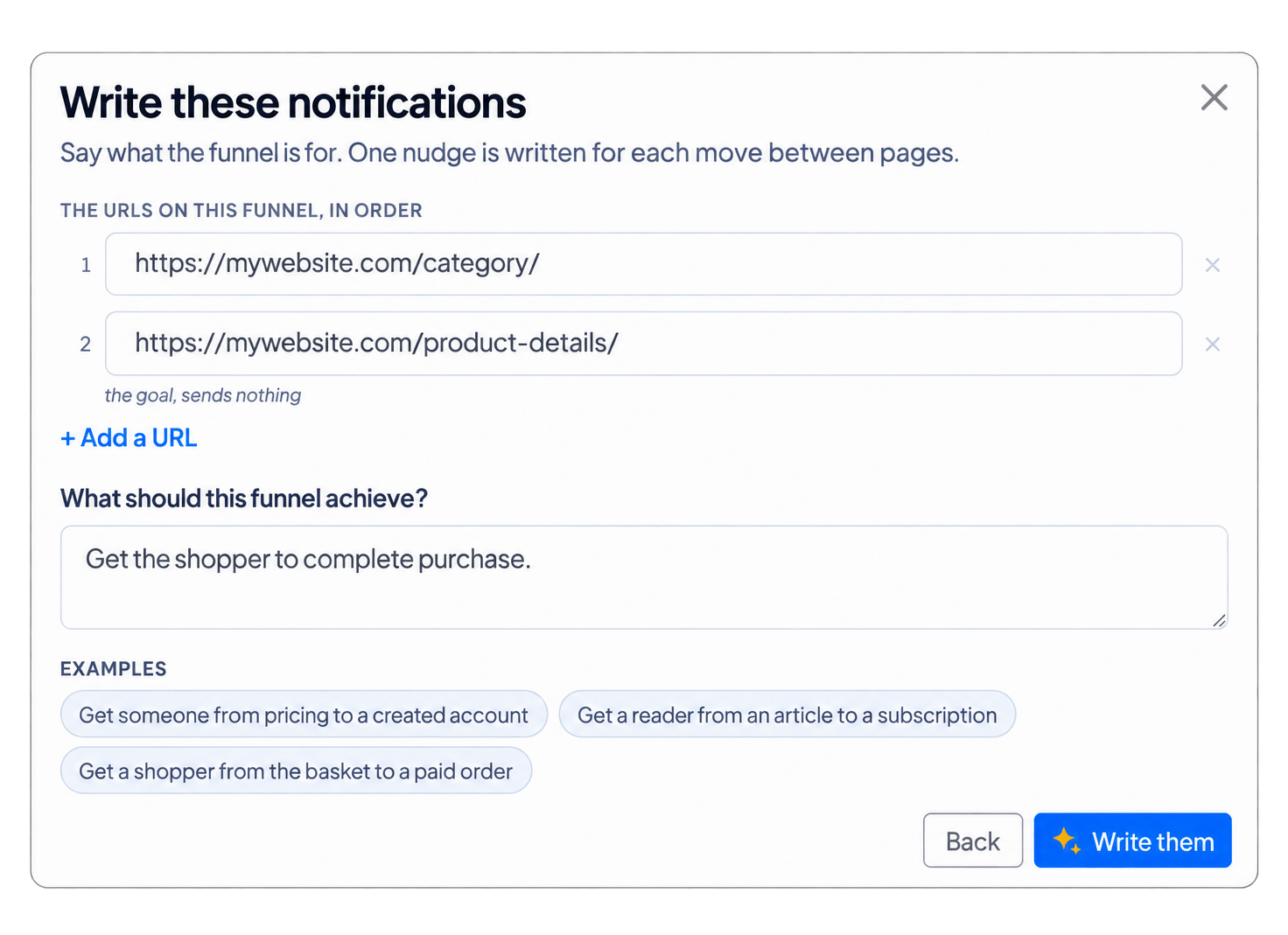
Automate Funnel Notifications using AI
For ecommerce campaigns, the final action might be a purchase. For a publisher, it could be a subscription, registration, or another defined conversion. The funnel can be built around the action that matters to the business.
Create A/B test notifications with AI
After creating a notification, you may wonder if another version would work better. A/B testing gives you a way to compare different versions of a notification instead of relying entirely on assumptions. You might want to test different wording, images, approaches, or messages to see which one performs better. Now, you can also create A/B test notifications with AI.
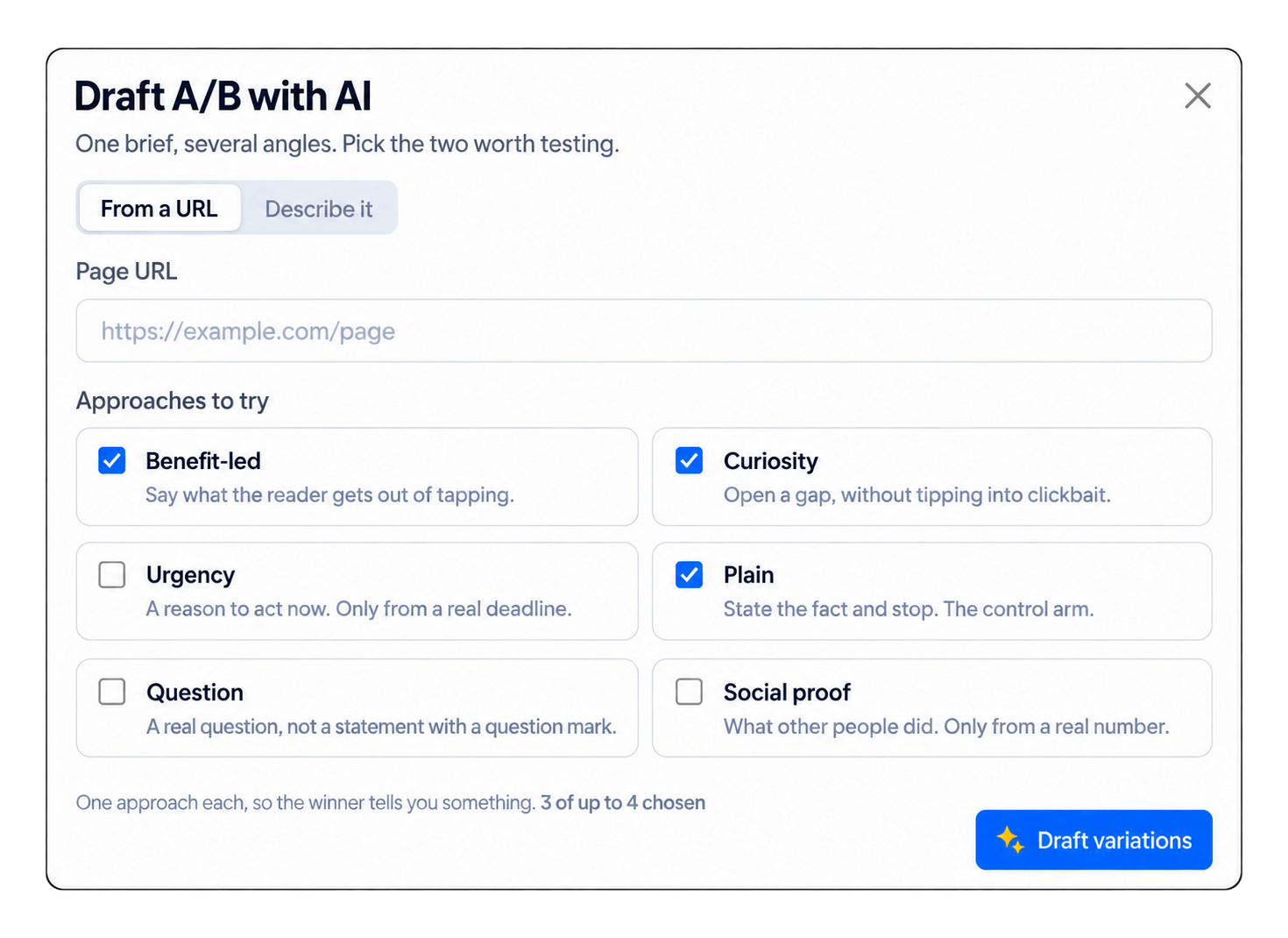
Create AB testing Campaigns with AI
Rather than manually preparing every variation, use AI to help generate the alternatives needed for the test. The original idea remains the same, but the messaging can be varied so that different versions can be compared. Once the campaign is run, check the campaign analytics to see which version performed better and use that insight to improve future campaigns.
From writing notifications to building campaigns
AI in PushAlert does more than just write copy. Writing a notification is only one part of running a web push campaign. Your overall strategy may also need a welcome sequence, a drip journey, an event trigger, a conversion goal, or multiple versions for testing. Each of those normally requires a separate set of decisions and setup steps. PushAlert’s new AI capabilities bring more of those tasks into the same workflow.
You can start with a simple prompt when you need a notification. You can refine an existing message when the wording needs work. Provide a website URL when you want to turn existing site content into a campaign. And when the campaign requires more structure, AI can help with triggered notifications, conversion funnels, and A/B tests. That means less time spent building the campaign from individual pieces.
Start with the goal you want to achieve
The more context you give AI, the more useful the result can be. Instead of asking AI to “write a notification,” give it some context. A prompt such as “Create a push notification for subscribers who viewed our new running shoes, keep it short and encourage them to come back” gives AI much more to work with. The same goes for automated campaigns. Before creating a drip campaign or conversion funnel, know what you want subscribers to do at each stage.
The features are being gradually rolled out with our V2 dashboard. Please reach out to your account manager or support for an update.